
Download Autonito – Incognito Mode Automation, Privacy Browsing, Smart URL Detection
Overview
Autonito is a mobile application designed to streamline the browsing experience for users who frequently use private or incognito mode in web browsers. Its primary purpose is to automate the opening of incognito windows for specific websites, removing the need for manual intervention each time a user wants to browse privately. This functionality is particularly useful for individuals who regularly access sensitive or personal content, such as online banking, private messaging, or confidential research, without leaving digital footprints.
The app targets users who prioritize privacy and efficiency in their daily online routines. It serves as a utility tool for both casual and power users who value seamless transitions between standard and private browsing modes. By intelligently detecting entered web addresses, Autonito determines whether a site should be opened in incognito mode based on user-defined rules, thus enhancing workflow continuity.
Although the developer did not provide additional background information, the app’s focus on privacy automation suggests a targeted approach to solving a common pain point in mobile browsing. Real-world use cases include journalists, remote workers, or anyone managing multiple accounts across platforms who wish to maintain separation between sessions. In the broader app ecosystem, Autonito fills a niche for privacy-enhancing tools that integrate directly with browser behavior, offering a lightweight yet impactful solution.
Key Features & Functionality
- Smart URL Detection: Autonito automatically identifies URLs entered in the browser and checks them against a user-defined list of sites that require incognito mode. If a match is found, the app triggers an incognito window without requiring manual input.
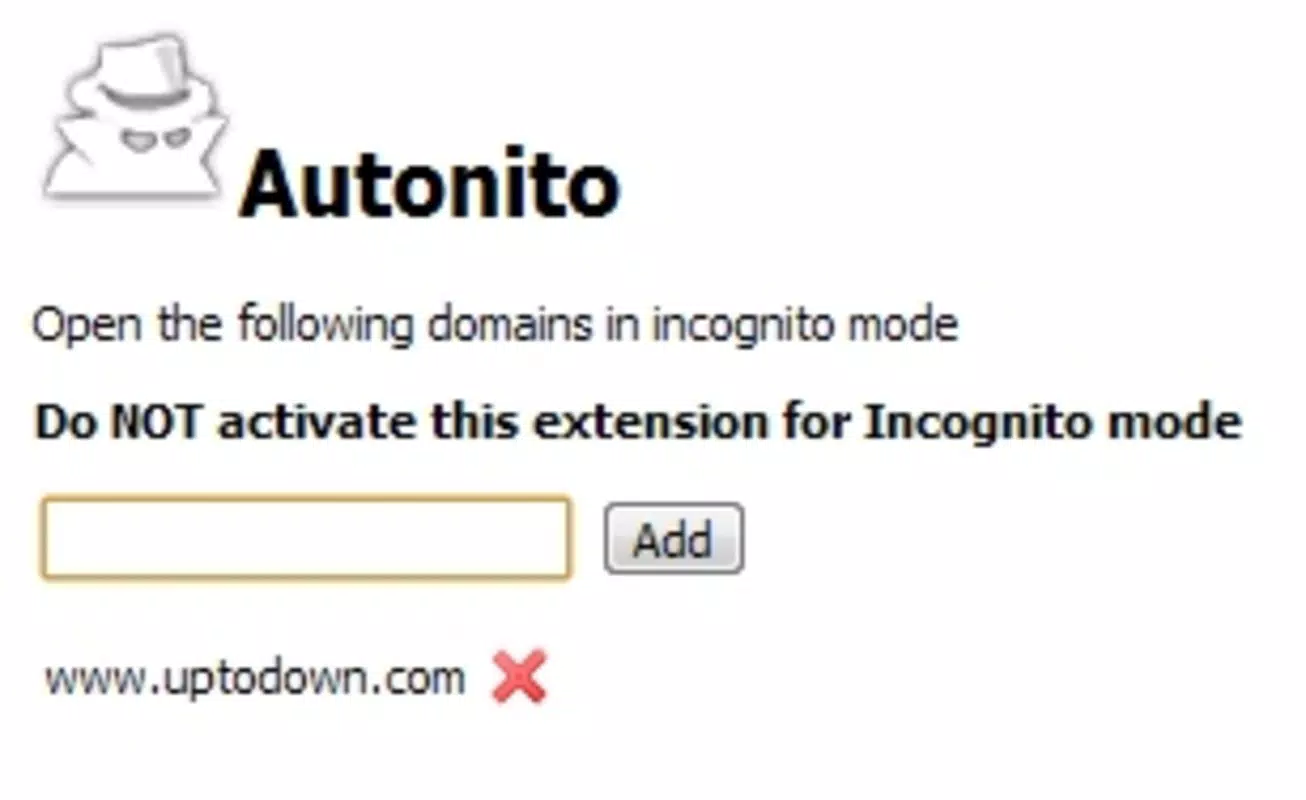
- Customizable Incognito Settings: Users can manage a personalized list of websites that should always open in private mode through the app’s settings panel. This allows for tailored privacy controls based on individual browsing habits.
- Streamlined Browsing Experience: By eliminating the need to manually switch browsing modes, Autonito reduces friction in the user journey, enabling faster access to private content while maintaining consistent privacy standards.
- Convenient Link Handling: Whether clicking a link or typing a URL, Autonito ensures that designated sites launch in incognito mode instantly, preserving privacy without interrupting the user’s flow.
- User-Friendly Interface: The app features an intuitive layout with straightforward navigation. Adding or removing sites from the incognito list requires minimal effort, making it accessible to users of all technical skill levels.
For example, a user who frequently checks their personal email or accesses a private social media account can configure Autonito to open those sites automatically in incognito mode. This ensures that no browsing history, cookies, or cache are stored, even if the device is shared.
Interface, UX & Performance
Autonito presents a clean and minimal interface, focusing on core functionality without visual clutter. The navigation is linear and logical, guiding users through settings and configuration with clear labels and visual cues. The layout appears optimized for touch interaction, with appropriately sized buttons and responsive controls.
Although the developer did not list formal performance metrics, the app’s design suggests responsiveness across various device categories. Users can expect smooth transitions when switching between browsing modes, with minimal delay during URL detection and window launching. The app integrates with the default browser environment, leveraging system-level capabilities to ensure consistent behavior.
Stability appears to be a priority, as the app functions as a background automation tool without causing crashes or browser disruptions. However, specific compatibility details or performance benchmarks were not disclosed. The app’s lightweight nature implies low resource consumption, making it suitable for both older and newer smartphones.
Platform Compatibility & Technical Requirements
Autonito is available on Android and iOS platforms. The app requires a minimum operating system version that is not specified by the developer. The file size is listed as 12.4 MB, which indicates a compact footprint suitable for devices with limited storage.
While the app’s version and release date are provided (2010-08-10), no further technical specifications such as RAM requirements, processor compatibility, or screen resolution support were disclosed. The developer did not specify minimum OS requirements, so users should verify compatibility with their device’s current system version.
Pros and Cons
- Automates incognito mode for frequently visited sites
- Simple and intuitive interface for managing privacy settings
- Reduces manual steps in private browsing workflows
- Lightweight app with minimal storage footprint
- Supports customization based on user-defined privacy needs
- Compatibility details not fully disclosed
- Performance metrics not publicly available
- No official support for desktop or tablet platforms
- Limited information on update frequency or developer activity
- Privacy claims not independently verified
FAQ
Is Autonito safe to use?
Autonito operates as a privacy-focused automation tool and does not collect or transmit user data. However, users should ensure they install the app from official app stores to maintain security.
Can I customize which websites open in incognito mode?
Yes, users can add or remove websites from the incognito list through the app’s settings. This allows full control over which sites launch in private browsing mode.
Does Autonito work on both Android and iOS?
Yes, Autonito is available on both Android and iOS platforms. However, specific OS version compatibility was not disclosed.
How often does Autonito receive updates?
The developer did not provide information about update frequency. Users should check the app store for the latest version.
Does Autonito require special permissions?
The developer did not specify the permissions required. Users should review the app’s access requests during installation to ensure they align with intended functionality.
Final Thoughts
Autonito offers a focused, efficient solution for users seeking to simplify their private browsing experience. By automating the switch to incognito mode for selected websites, it enhances both privacy and workflow efficiency. The app’s intuitive design and customizable settings make it accessible to a wide range of users, from those new to privacy tools to experienced digital users managing complex online routines.
While technical details such as performance benchmarks and OS compatibility remain partially undisclosed, the app’s core functionality is clear and valuable. For anyone who frequently uses incognito mode, Autonito removes friction and strengthens digital privacy without adding complexity.
Download Autonito now


